Voice Recorder94.2.9
Publisher Description


Voice Recorder - Lets You Record Audio & Voice Memos in High Quality
Looking for a
simple voice recorder for Android
that works anytime you need it? This app lets you easily
record voice notes on your phone
,
record meetings clearly
, and
record lectures in class without noise
. Many people use it as a
quick voice memo recorder for Android
to
record ideas, reminders, and conversations
while working, studying, or traveling. You can
record high-quality audio on Android
, save important discussions, and instantly play them back whenever you need. Whether you want to
record interviews on your phone
,
record important meetings at work
, or keep a
daily voice notes recorder
for personal use, this
easy audio recorder app for Android
helps you capture every moment clearly.
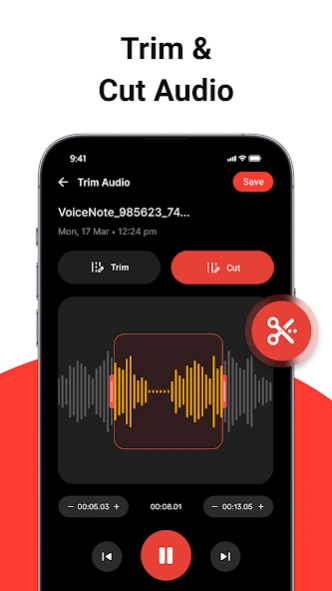
Voice Recorder & Sound Recorder is a free recorder app that includes various boosts and filters to improve sound quality. You can also use the audio editor to trim, cut, merge, and mix your recordings. Some filters include noise reduction, de-essing, and fade-in and out effects.
Voice Recorder app Features
• Voice Recorder Apps have an immersive and easy-to-understand user interface. - Users can reject incoming calls while recording.
• Automatic and manual sensitivity control for Skip silence mode
• Recording in the background even when the display is off
• Live audio spectrum analyzer
• Save/pause/resume/cancel recording process control
• Microphone tool to adjust the sensitivity
• Users can record voice, edit audio, rename and delete
• Automatic stop when out of memory
• Sorting recordings by date, name, size, and duration
• Saving sounds to the media library
• Smooth playback
• Integration with widget
• Audio recording voice notes
• Built-in sound player supports media controls such as Skip muted, play speed, and Repeat mode.
• Share your recordings with your friends via Email, Messages, Facebook, Twitter, YouTube, Instagram, Snapchat. etc.
ADVANCED FEATURES
• Record in MP3 audio format - Passcode protect recordings
• Loop recordings
• Trim recordings
• Change playback speed
• Skip backward/forward
• Favorite recordings
Group Recording
Group all your vocal recordings into defined categories. Mark your favorite talks and memos.
Easy Recorder app provides an easy method to record things with your phone & Built-in user-friendly Audio Recorder.
You have to tap a button to start recording and then tap it again to stop. All the audio files you record are stored on your device, and you can access them directly from the app.
A Voice recorder can help you in many ways; you can record audio and conversations by recording memories. Thus your phone can be used as a phone recorder, dictaphone, podcast, or smart music recorder.
Smart Recorder High-quality Audio Recorder is the best voice recorder app for anyone who wants to record high-quality sound and edit their recordings easily. It's designed to be simple and powerful. You don't need to spend hours learning how to use it or setting it up. You can start using it right away and enjoy its features.
Download Smart Recorder High-quality Audio Recorder today and see why it's the best voice recorder app for USA and more. You'll never miss an important moment or detail again. You'll always have a reliable and convenient way to record your voice and sound.
About Voice Recorder
The company that develops Voice Recorder is Calendar Date. The latest version released by its developer is 94.2.9.
To install Voice Recorder on your Android device, just click the green Continue To App button above to start the installation process. The app is listed on our website since 2026-08-24 and was downloaded 15 times. We have already checked if the download link is safe, however for your own protection we recommend that you scan the downloaded app with your antivirus. Your antivirus may detect the Voice Recorder as malware as malware if the download link to com.jksol.voicerecodeing is broken.
How to install Voice Recorder on your Android device:
- Click on the Continue To App button on our website. This will redirect you to Google Play.
- Once the Voice Recorder is shown in the Google Play listing of your Android device, you can start its download and installation. Tap on the Install button located below the search bar and to the right of the app icon.
- A pop-up window with the permissions required by Voice Recorder will be shown. Click on Accept to continue the process.
- Voice Recorder will be downloaded onto your device, displaying a progress. Once the download completes, the installation will start and you'll get a notification after the installation is finished.
